
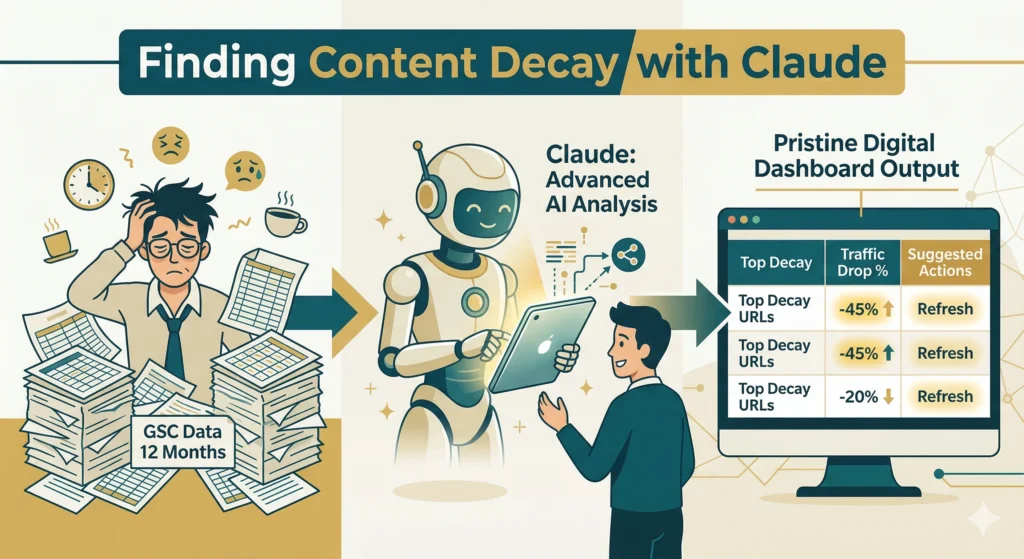
Quick Summary:
Claude can automate advanced SEO tasks like content decay analysis, technical audits, and keyword cannibalization by processing large datasets from tools like Google Search Console. This helps marketers save hours and focus on strategy instead of manual data analysis.
Last Updated: 2026, April 10 | Published By Akash Gupta
SEO today is incredibly data-heavy and fiercely time-consuming.
Most people are using AI entirely wrong by only treating it as a cheap blog writer. They generate endless articles without looking at the underlying technical structure of their site.
However, advanced AI models can actually handle deep data analysis, technical audits, and strategic decision-making.
If you are not using AI for SEO analysis, you are wasting hours every single week.
Why You Should Use AI Tools Like Claude for SEO
Claude is a highly capable large language model designed to process massive datasets securely.
Using it matters because it bridges the gap between staring at raw data and actually executing a growth strategy. It acts as an elite technical assistant that works at superhuman speeds.
Managing Large Websites is Complex
Enterprise websites often have thousands of indexable pages. Manually tracking the performance of every single URL is physically impossible for a human team.
AI steps in to monitor site architecture at massive scale. It can instantly process thousands of rows of data to spot structural patterns, missing tags, and ranking drops.
Google Search Console Data is Underutilized
GSC provides incredible insights, but most SEOs only look at surface-level clicks and impressions. They rarely cross-reference data over long periods to find hidden trends.
Feeding this raw data into Claude unlocks much deeper insights. You can ask it to find correlation patterns that standard dashboards simply do not display.
Manual Audits Take Too Long
A comprehensive technical SEO audit can take a human analyst over a week to complete. By the time the manual audit is finished, the ranking data might already be outdated.
Claude drastically compresses this timeline. What used to take forty hours of spreadsheet formatting can now be analyzed in under five minutes.
What You Can Automate with Claude in SEO
You can automate heavy data processing tasks that require identifying patterns across large spreadsheets.
This saves immense time and allows you to focus purely on high-level strategy.
Content decay analysis — Identifying pages that are slowly losing organic traffic over time.
Technical audits — Scanning bulk crawl data to spot broken links and server errors.
Keyword cannibalization — Finding multiple pages on your site competing for the exact same search query.
Sitemap cleanup — Flagging bad, redirected, or broken URLs submitted to search engines.
Instead of manually checking 500 URLs for cannibalization, you upload one CSV and let Claude highlight the exact conflicting pages.
👉 Confused about certain terms? Read our Complete Guide to SEO Terms in 2026

Author Box

Akash Gupta
SEO & AISO Content Manager
Real Estate & Finance Content Specialist
- All Posts
- Digital Marketing
- Meta- Facebook & Instagram
- Back
- Digital Marketing Updates
- Lead Generation
- Client Acquisition
- Search Engine Optimization (SEO)
- AI Search Optimization (AISO)
- Off Page SEO
- Local SEO
- SEO Strategy
- eCommerce SEO
- Small Business SEO
- Real Estate SEO USA
- Technical SEO
- Guest Posting
- Link Building
- IDX SEO Optimization
- Real Estate Lead Generation
- Claude SEO Automation Guide
- Back
- Claude SEO Automation Guide
- Back
- Off Page SEO
- Local SEO
- SEO Strategy
- eCommerce SEO
- Small Business SEO
- Real Estate SEO USA
- Technical SEO
- Guest Posting
- Link Building
- IDX SEO Optimization
- Real Estate Lead Generation
- Back
- Guest Posting
- Link Building
- Back
- IDX SEO Optimization
- Real Estate Lead Generation
- Back
- Meta Algorithm Updates
Learn how to write SEO content for real estate listings that rank on Google. Optimize descriptions, fix duplicate content, and…

Learn how to write SEO content for real estate listings that rank on Google. Optimize descriptions, fix duplicate content, and…
How to Find Content Decay Using Claude
Content decay is the gradual loss of search rankings as information becomes outdated.
Search engines strongly prefer fresh content, so updating old posts is the fastest way to regain lost traffic. Claude automates the process of finding these decaying pages.
Step 1: Export Data from Google Search Console
You need historical data to spot downward ranking trends. Open Google Search Console and export your performance data for the last 12 to 16 months.
Ensure your export includes the exact URLs, total clicks, and total impressions. This gives the AI a concrete baseline to measure growth or decline.
Step 2: Upload Data into Claude
Claude allows you to upload files directly into its chat interface. Take your cleaned CSV file and attach it to your prompt.
Providing structured data prevents the AI from hallucinating. It forces the model to base its answers purely on your actual website performance.
Step 3: Use This Prompt
Your AI output is only as good as your instructions. Copy and paste this exact command to get the best analysis.
“Analyze this dataset and identify pages that had traffic in the past but have lost impressions and clicks in the last 3 months. Highlight pages with zero impressions and suggest actions (update, merge, or delete).”
Step 4: Take Action
Claude will provide a clean list of targets, but you must execute the strategy. Review the flagged URLs to determine the best path forward.
Update high-potential pages with fresh information to regain rankings. Remove completely dead content, or merge overlapping articles into one ultimate guide.
Result:
Cleaner site — Eliminating dead weight improves overall domain quality.
Better crawl efficiency — Google spends time crawling pages that actually matter.
Improved rankings — Refreshed content signals relevance to search algorithms.
How to Identify Broken URLs & Sitemap Issues Using Claude
A sitemap is a roadmap for search engines, and broken URLs send bots into dead ends.
Submitting errors in your sitemap wastes your crawl budget and hurts your technical SEO score. Claude can scan this roadmap and flag errors instantly.
Step 1: Extract Your Sitemap URLs
Navigate to your website’s /sitemap.xml file in your web browser. This document lists every single page you want search engines to find.
Copy all the URLs listed within this file. You can also use a free extraction tool to pull them into a clean spreadsheet.
Step 2: Feed URLs into Claude
Take your list of extracted sitemap links and upload them to Claude.
If the list is massive, break it into smaller batches of 500 URLs. This ensures the AI processes everything accurately without timing out.
Step 3: Use This Prompt
Give Claude the role of a technical SEO auditor. Use this specific prompt to command the technical analysis.
“Check these URLs and identify any that return 3xx, 4xx, or 5xx status codes. Categorize them and suggest which should be fixed, redirected, or removed.”
Step 4: Fix Issues
The AI will give you a categorized list of problematic links. You must now go into your CMS and resolve them.
Remove unnecessary redirect chains to speed up load times. Fix broken pages, and ensure your sitemap only contains healthy, 200-status URLs.
Result:
Better indexing — Google finds your most important pages without getting lost.
Faster crawling — Bots move efficiently through your site architecture.
Improved technical SEO — A flawless sitemap boosts trust with search engines.
👉 Learn more: Guide to Schema Markup for WordPress

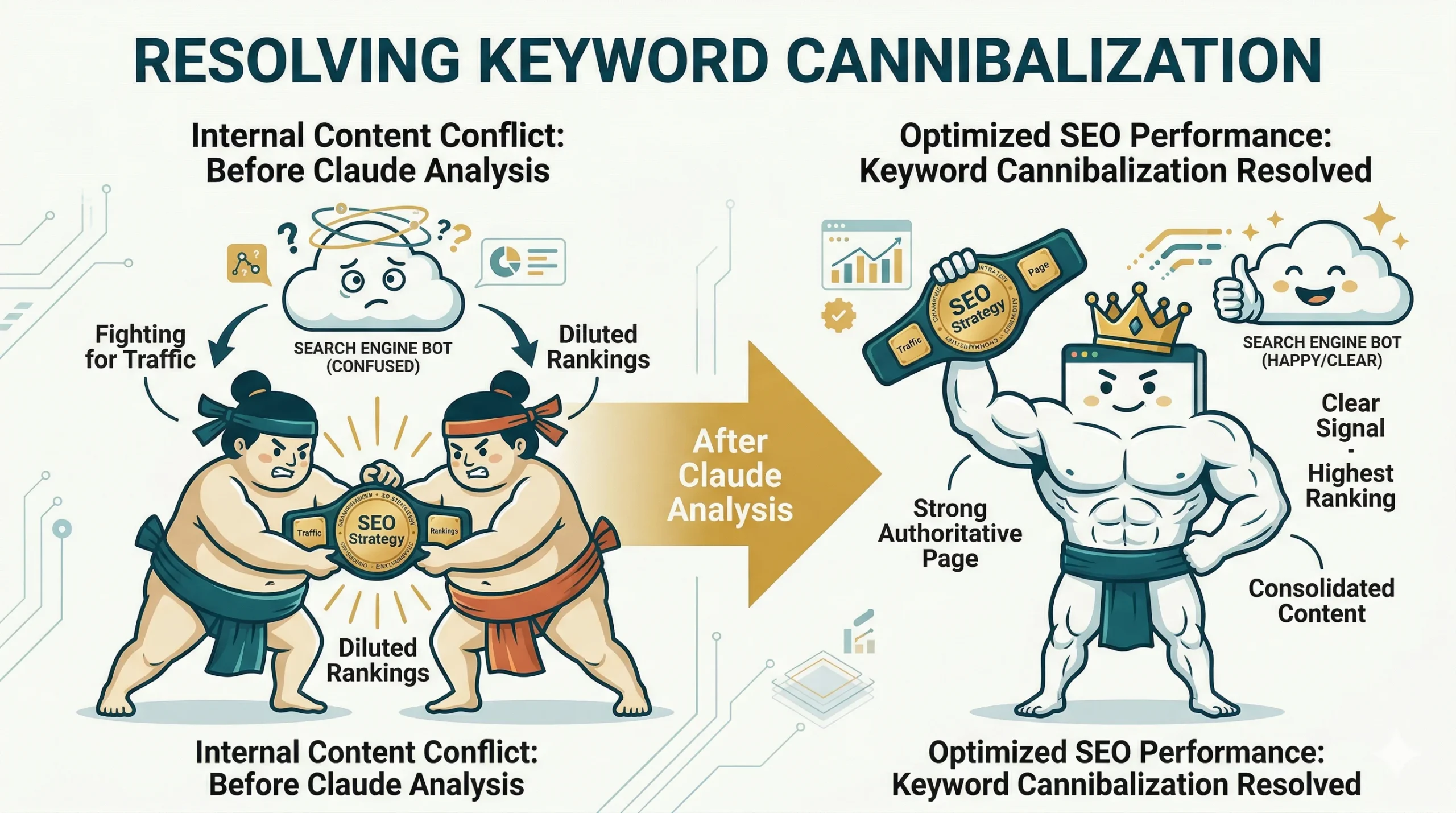
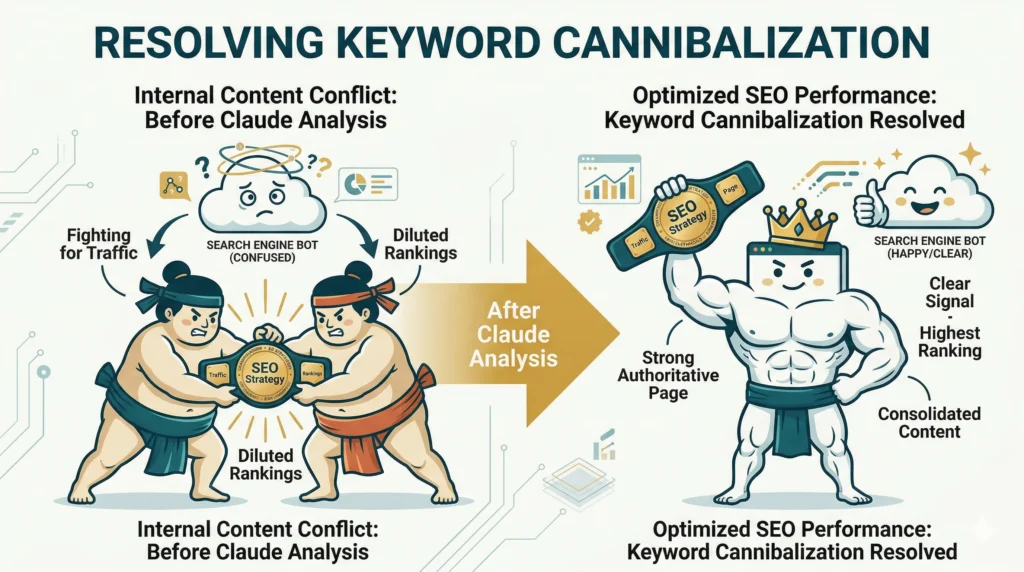
How to Fix Keyword Cannibalization Using Claude
Keyword cannibalization happens when multiple pages on your site fight for the same search term.
It confuses search engines, splitting your ranking power and preventing any single page from reaching the top spot. Claude groups these competing pages together for you.
Step 1: Export Query + URL Data from GSC
You need to map exactly which pages are ranking for which terms. Export your query data alongside the ranking URLs from Search Console.
Clean the spreadsheet so it only shows the search term and the specific page receiving impressions for it.
Step 2: Upload Data to Claude
Attach this keyword mapping document directly into Claude.
Make sure you specify in your prompt that this is query-level data. This tells the AI to focus on search intent rather than just traffic volume.
Step 3: Use This Prompt
Instruct Claude to look for duplicates and overlapping user intent.
“Cluster these pages based on search intent and identify pages targeting similar keywords. Highlight cases of keyword cannibalization and recommend which pages should be merged, updated, or deleted.”
Step 4: Optimize Content
Claude will highlight the direct conflicts. Now, you must restructure your content to eliminate the competition.
Merge similar pages into one definitive, long-form guide. Reassign secondary keywords to the weaker page, or improve the internal linking structure to signal the primary page.
Result:
Reduced competition — Your pages no longer fight each other for clicks.
Stronger rankings — Consolidated link equity pushes the main page higher.
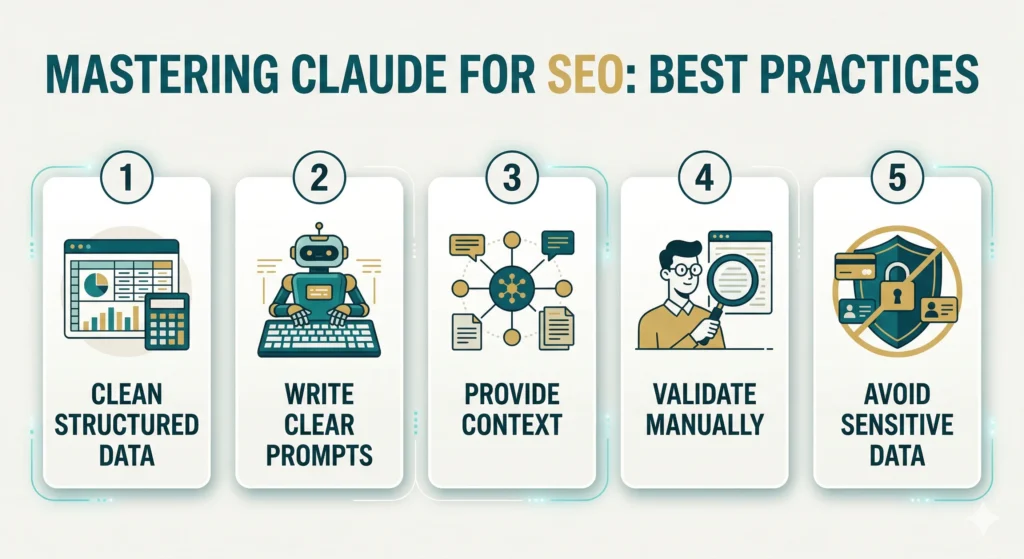
Best Practices When Using Claude for SEO
Using AI requires discipline to get accurate, usable outputs.
Garbage inputs lead to garbage outputs, which can ruin your site structure if implemented blindly.
Always Provide Structured Data
Never paste raw, unformatted text into the AI and expect good results.
Clean your spreadsheets, remove empty columns, and clearly label your headers. This ensures Claude perfectly understands the context of the numbers.
Use Clear Prompts
Vague requests like “improve my SEO” will generate generic, useless advice.
Give Claude a specific role, define the task precisely, and state exactly how you want the output formatted. Treat it like a junior analyst who needs explicit instructions.
Validate Outputs Manually
Never blindly implement AI recommendations without checking the math.
Manually review a few flagged URLs to ensure the AI did not hallucinate. Verify that a page actually lost traffic before you decide to delete it entirely.
Limitations of Using AI for SEO
AI is a powerful assistant, but it has distinct operational boundaries.
Over-relying on automation without human oversight can lead to severe indexing penalties.
Not 100% Accurate
Large language models occasionally misinterpret data or hallucinate false numbers.
They can mistake a seasonal traffic dip for permanent content decay. You must treat AI outputs as strong suggestions rather than absolute facts.
Needs Human Strategy
Claude does not understand your business goals, profit margins, or target audience nuances.
It might suggest deleting a low-traffic page that actually generates high-ticket sales. A human must interpret the AI’s data and align it with the broader business strategy.
Cannot Replace SEO Expertise
AI can process data, but it cannot build relationships for backlinks or intuitively understand a brand’s voice.
You still need deep SEO knowledge to know which questions to ask the AI in the first place. Without a baseline understanding, you won’t know if the AI’s advice is actually good.
How to Combine AI + Human Strategy for Better SEO Results
The future of search marketing belongs to hybrid workflows.
Relying purely on manual work is too slow, but relying purely on AI is too risky. A blended approach gives you the ultimate competitive edge.
AI provides unmatched speed for processing massive spreadsheets and finding structural errors. It does the tedious heavy lifting in seconds.
You provide the critical thinking and high-level strategy required to turn those insights into revenue. Together, this creates a scalable growth engine where technical tasks are automated, leaving you free to focus on creativity.
How Scribo Media Helps You Scale SEO Using AI + Content
Modern agencies must blend technological efficiency with high-quality content creation.
Scaling a website requires robust systems that do not sacrifice quality for volume. At Scribo Media, we build advanced SEO content systems that leverage AI for deep data analysis.
Our AI-powered workflows identify content gaps and technical errors in minutes. This allows our human experts to execute faster and build more authoritative clusters.
Every strategy we build is entirely focused on lead generation. We don’t just chase vanity metrics; we use data automation to ensure your traffic actually converts into paying customers.
👉 Choosing the right strategy for your business is the very foundation on which your content empire is built. Make sure you choose the right one. Read our SEO Strategy for Ecommerce, Small, and Local Businesses, as a guide.
Conclusion
Using AI for advanced SEO analysis is no longer an optional tactic.
The sheer volume of search data requires automation if you want to remain competitive in modern search results. Manual analysis simply cannot keep up with the speed of data.
The marketers who adapt early and use AI as an analytical partner will ultimately win the landscape. Stop fighting spreadsheets and start automating your growth.
Frequently Asked Questions (FAQs)
What is Claude used for in SEO?
Claude is used to automate massive data analysis, technical site audits, and content planning. It processes complex spreadsheets from Google Search Console to find ranking drops and structural errors instantly.
Is Claude better than ChatGPT for data analysis?
Yes, Claude is generally better at processing large, structured CSV files without losing context. Its larger context window allows it to read thousands of rows of URLs without hallucinating the numbers.
Can AI find content decay automatically?
Yes, by feeding historical GSC data into AI, it can easily spot pages losing traffic. You simply ask it to compare clicks from six months ago to today, and it will highlight the dropping URLs.
What is keyword cannibalization?
Keyword cannibalization occurs when multiple pages on your own website compete for the same search query. This splits your ranking authority and confuses Google on which page to prioritize.
How does a sitemap impact SEO?
A sitemap acts as a roadmap, telling search engine bots exactly where your important pages are. If your sitemap has broken links, bots waste their crawl budget and may fail to index your actual content.
Will Google penalize me for using AI?
No, using AI for backend data analysis and technical audits will never get you penalized. Google’s spam policies only target low-quality, mass-produced AI content published directly to manipulate rankings.
How do I export data from Google Search Console?
Navigate to the Performance tab, select your date range, and click the “Export” button in the top right. Choose the “Download CSV” option so you can easily upload it into Claude.
Can Claude crawl my live website?
No, standard versions of Claude cannot actively browse or crawl your live website. You must provide it with exported data, text dumps, or code snippets for it to analyze.
What is a 404 error?
A 404 error is a standard HTTP response code indicating that the requested page cannot be found on the server. Having too many 404s in your sitemap frustrates users and wastes search engine crawl time.
Why do I need to validate AI outputs?
AI models can sometimes miscalculate numbers or misinterpret the context of a dataset. Manual validation ensures you don’t accidentally delete an important page based on a machine hallucination.
How much data can Claude process at once?
Claude 3 models have a massive context window of up to 200,000 tokens, which is roughly 150,000 words. This allows it to comfortably process massive SEO spreadsheets containing thousands of URLs.
What is an SEO content system?
An SEO content system is a repeatable workflow designed to produce, optimize, and update content at scale. It combines AI analysis for topic research with human expertise for writing and strategy.
Author: Akash Gupta
Author Box
Akash Gupta
SEO & AISO Content Manager
Real Estate & Finance Content Specialist